Introduction
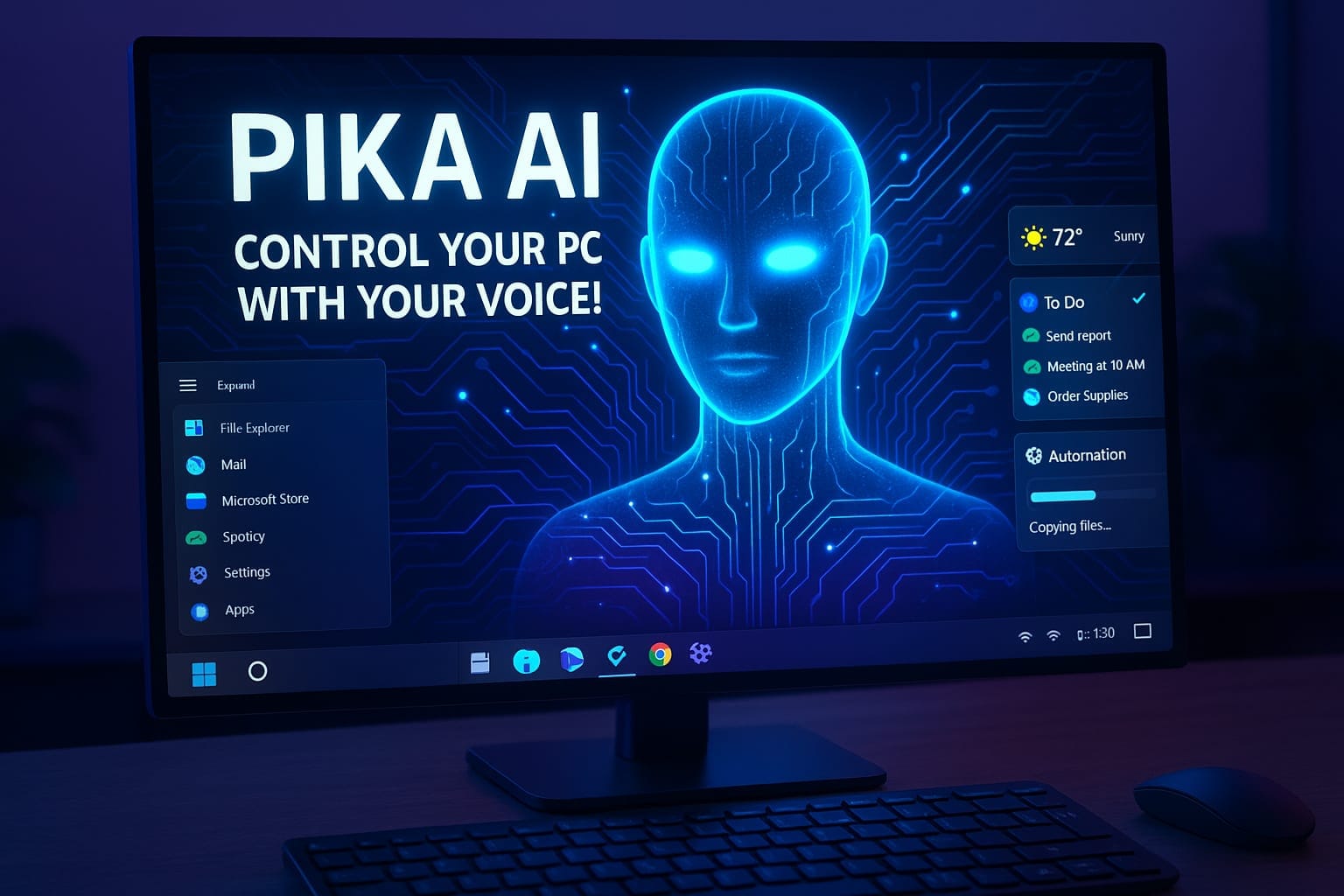
Imagine having an intelligent digital assistant residing within your PC — one that you can summon using voice, and that can automate any task that relies on your keyboard, manage applications, manage your files, and answer your commands sensibly. That’s the promise of Pika AI Voice Assistant, a free desktop virtual assistant designed to make your computer feel like something out of sci-fi (think Jarvis, but real). In this post, we’ll explore what Pika AI is, what it can do, and why it might be the best AI assistant for your PC.
What Is Pika AI Voice Assistant?
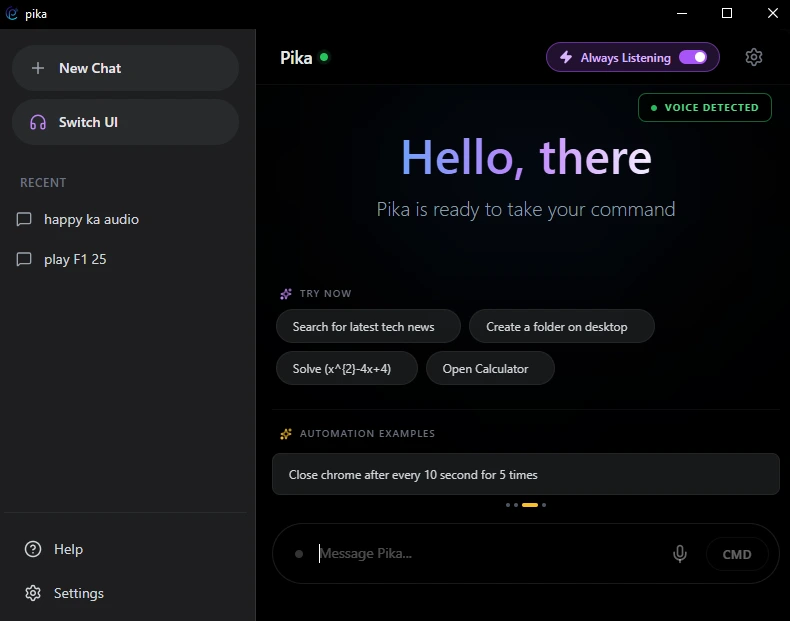
Pika AI is a task management and automation voice assistant for the desktop. According to its website, it is a desktop voice‑controlled smart assistant that can organize your digital life, tasks, and workflow automations.
It supports voice and text commands, offers Google's Gemini API support for smart responses, and offers system & app control, web automation, and more.
Pika's creators aim to minimize friction between your actions and your goals: just say (or type) what you want, and Pika takes care of the rest.
Interestingly, Pika has a free version (available for download free of charge) so that you can try it out and use basic functions without paying a dime.
What Can Pika AI Do? (Functions & Automations)
One of Pika's strongest promises is: custom automation of "any possible task which can be done by keyboard." That is strong. Here is a list of what Pika is stated or reported to do:
Fundamental Functions & Automations of Pika AI
- Voice Activation — "Hey Pika" wake word to initiate interaction.
- Open / Run Applications — Launch any installed programs (Chrome, VS Code, Word, etc.) with voice.
- Close / Manage Windows — Close, minimize, maximize, or switch.
- System Commands — System commands like "shutdown computer", "restart", "lock screen", etc.
- Web Automation / Search — Browse websites, search query, open URLs, etc.
- Media Control — Manage YouTube, Netflix, play, pause, skip, rewind, etc.
- Intelligent Communication — Send messages, emails, control communications with voice commands.
- Concentration / Productivity Mode — Block distracting apps, notifications, websites.
- Highlight & Voice Search — Highlight any text on-screen and say "search this" or "what does this mean" to receive instant voice answers.
- Session History — Store and view previous commands and conversations.
- Custom Keyboard Automation — Automate any task that can be done via keyboard command (macro / script) with your voice command.
ClawdBot Killer – Train Pika to Do Anything
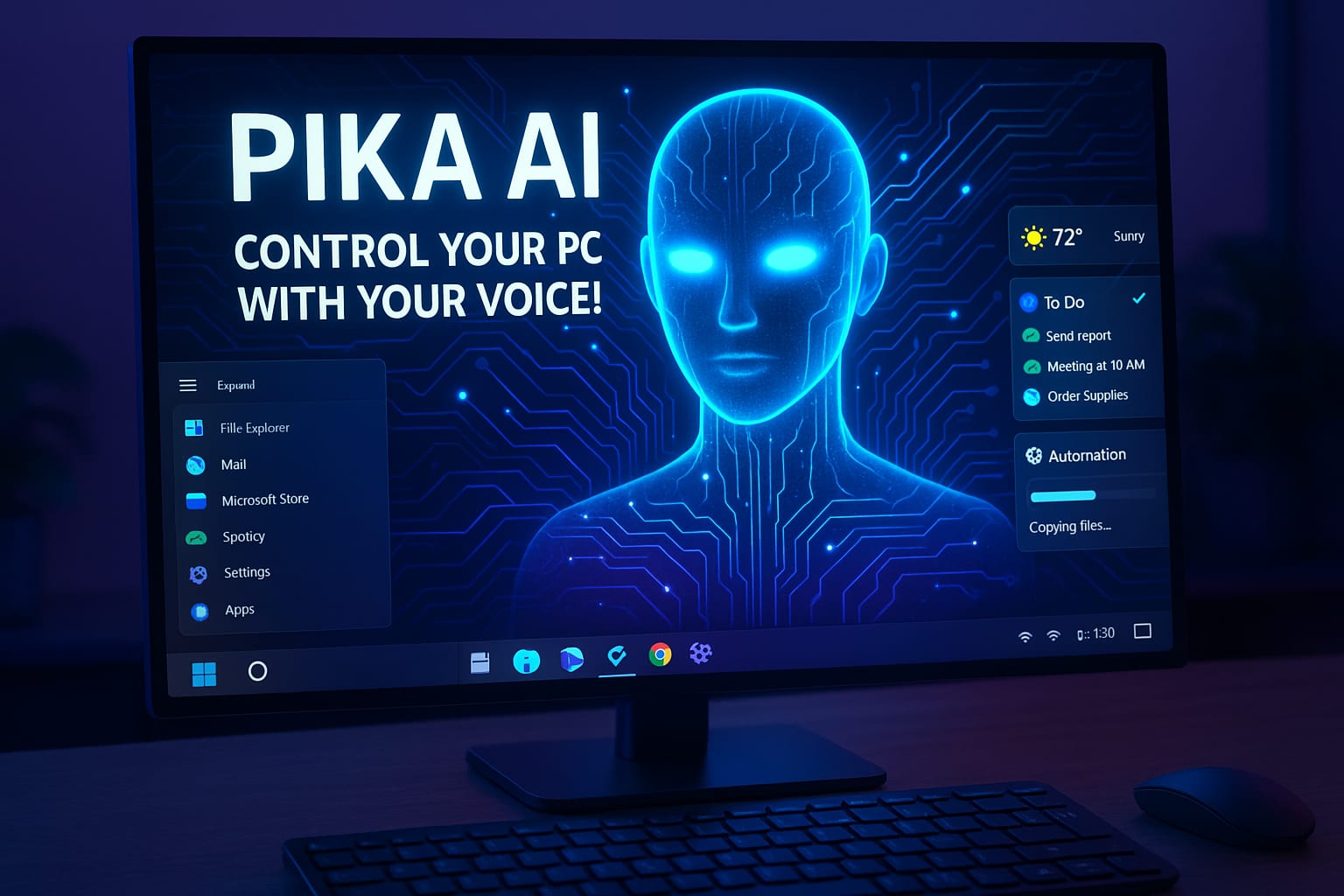
One of the most powerful — and honestly the hottest — features of Pika AI Voice Assistant is its built-in ClawdBot Skill Maker. Unlike most AI tools that limit you to predefined commands, Pika gives you the freedom to create your own skills completely free.
Let’s say there’s a task Pika doesn’t currently support. Instead of waiting for a future update, you can simply define a new skill yourself. You tell Pika what action to perform, what trigger phrase should activate it, and how the automation should behave. From launching a complex workflow to executing multiple keyboard shortcuts in sequence, the possibilities are nearly endless.
This transforms Pika from a simple AI assistant for PC into a fully customizable automation engine. You’re not just using an assistant — you’re building one that adapts to your habits, your workflow, and your productivity style.
For example, you could create a custom voice command like:
-
“Find the report of today’s of my YouTube channel”
-
“Send the daily sales summary to my team”
You can create a custom skill that opens your sales dashboard, copies the daily data, formats it, and sends it via email or Slack. Just define the trigger phrase and the action steps inside the Skill Maker. After that, one simple voice command handles the entire process automatically — securely and locally stored.
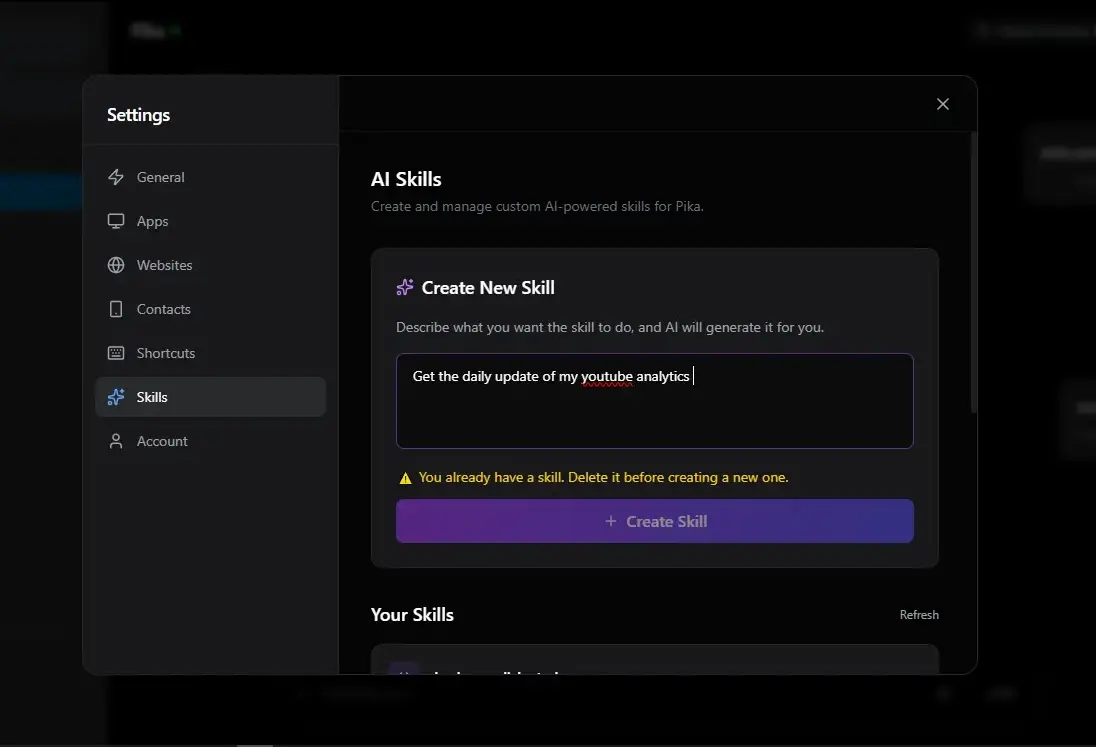
If this command doesn’t exist by default, you can go to the Skill tab in Settings and generate a custom function that automatically opens YouTube Studio, navigates to Analytics, and shows today’s performance report. Once created, Pika will execute the exact workflow every time you say that sentence. And no worries — your API keys and login data stay securely saved on your device.
That level of personalization is rare, especially in a free AI voice assistant for PC. With Pika voice, your pc becomes smarter over time because you continuously expand its capabilities.
This is what truly separates Pika from other AI tools. It’s not just reacting to commands — it’s evolving based on what you teach it. If you’re searching for an AI assistant for PC download that goes beyond basic voice control, this feature alone makes Pika stand out.
Why Pika AI Might Be the Best Free AI Assistant for PC
If you're looking for a real AI assistant for PC — not just a chatbot with a mic — Pika AI brings actual action to your desktop. It doesn’t just reply. It executes. Here’s why it stands out:
-
Full Voice Control – Completely Hands-Free
Just say “Hey Pika” and start giving commands. No clicking. No typing. Whether you're coding, editing, or just relaxing, you can open apps, search the web, control media, or trigger automations using only your voice. -
AI Skill Maker – Build Your Own Commands
This is where Pika becomes powerful. Using the built-in AI Skill Maker, you can create custom commands for anything it doesn’t already support. Want a command that opens 5 apps, sends a message, and starts your work timer? Just create the trigger and define the steps. Your assistant literally grows with you. -
Custom Automation & AI Action Triggers
Pika can automate almost anything that can be done with a keyboard. You can set action triggers like “Start Work Mode” or “Night Routine” and let Pika handle everything — opening software, closing distractions, running scripts, or navigating websites automatically. -
Open Applications Instantly
Say the name and it opens. Chrome, VS Code, Word, Photoshop, games — whatever is installed on your PC. No searching through folders. Just instant launch through voice. -
Send Messages & Gmail with Voice
You can create skills that send emails through Gmail, message your team, or notify someone automatically. For example: “Send the daily report to my manager” — and it handles the workflow. This is next-level productivity for a free AI voice assistant for PC. -
Smart Reminders & Task Management
Tell Pika to remind you about meetings, deadlines, or follow-ups. You can even build custom reminder workflows inside the skill system so nothing slips through. -
Real Desktop Control (Not Just Chat)
Unlike many AI tools that only respond in text, Pika actually interacts with your operating system. It clicks, types, switches windows, and executes real actions — closing the gap between AI and real-world productivity. -
Focus Mode & Productivity Boost
Need to lock in? Pika can block distracting apps, mute notifications, and set up your workspace automatically. Perfect for creators, students, and developers. -
Intelligent Responses with Gemini Integration
Powered by Google Gemini API support, Pika doesn’t just perform tasks — it also gives intelligent answers, summaries, and contextual responses when you need quick information. -
Free Download & Local API Storage
You can download Pika for free and start using core features immediately. Plus, your API keys are stored locally on your device — giving you control and peace of mind.
Overall, Pika AI isn’t just another voice tool. It’s a customizable AI voice assistant for PC that combines automation, smart responses, and real desktop control — all in one place.
Sample Usage Scenarios: What You Can Do with Pika AI
Test the following example voice commands or workflows:
- "Hey Pika, open Chrome and go to my email."
Pika opens Chrome, your email, and stays waiting for your next command. - "Hey Pika, take a screenshot."
Take an immediate screenshot without a keyboard shortcut. - "Hey Pika, highlight this sentence and search it."
You pick on-screen text, then tell it to search it — no window switching. - "Hey Pika, turn on focus mode."
Pika mutes distractions, blocks away distracting sites, and keeps you in the flow. - "Hey Pika, close current window."
Seamlessly manage windows by voice. - "Hey Pika, run custom automation: open folder, copy file A to folder B, then open Notepad and paste content."
As Pika has keyboard actions with custom automation, you are able to chain commands. - "Hey Pika, what does this word mean?"
Choose a word and get an on-the-spot definition by voice. - "Hey Pika, send John 'Project update sent' an email."
Send and write emails using voice without hands.
Limitations & Things to Watch Out For
While Pika AI is strong, it's not infallible. Here are a couple of caveats:
- Voice recognition accuracy will rely on mic quality, accent, and ambient noise.
- Complex automations can break if apps change or update UI elements.
- Privacy & security: Any assistant that controls your PC must be trusted — watch what permissions it has.
- Processing / latency: Some commands or automations might take a second to run.
- Gaps or bugs in features: Because Pika is under active development, certain features may not work perfectly every time.
- Incomplete documentation: New features are partially undocumented.
How to Get Pika AI & Try It Out
- Visit the official Pika AI website and download the desktop client.
- Install and grant permissions as required (microphone, system access, etc.).
- Login through Google OAuth2 (Pika uses Google login).
- Start with voice or text commands. Use the wake phrase "Hey Pika" to go into voice mode.
- Learn about features: launch apps, control media, custom automations, session history, and text highlighting voice commands.
- While you're experimenting, experiment with chaining commands and automations for more complex workflows.
As Pika is free to download, there isn't much danger in trying it out and seeing how well it works for your workflow.
Why Pika AI Is a Great Choice for a Personal AI Helper on PC
- It bridges the gap between voice assistants and full desktop automation.
- You don't need to pay to get started — you can use its fundamental features for free.
- It wraps voice control, app control, automation, and web tasks into one hoodie.
- The creator appears engaged, pushing out updates (custom automation, session history, etc.).
- It is like having your own AI assistant who lives inside your computer and listens to your voice.
Conclusion
If you're looking for a free, full-featured voice-controlled AI assistant for your PC, Pika AI is well worth checking out. It's not mere simple voice command — it can automate almost any keyboard action, manage apps, manipulate media, search the internet, and more. With features like personalized automation and session history added to the mix, Pika is quickly turning into a personal AI assistant you can count on.
Yes, before you publish, check on Pika's current features, restrictions, and any updates. But as of now, it's one of the best choices for turning your PC into a smart, voice-activated automation powerhouse.