
Table of Contents
- Introduction: Bringing Jarvis to Life
- What Feature it should have
- Top 7 Real Life Jarvis Applications
- Pika Voice Assistant
- Claude Code – An AI Assistant for Programmers
- Cortana – Microsoft’s AI Assistant
- Google Assistant
- Mycroft AI – Open-Source
- Microsoft Copilot – Your AI Desktop Buddy
- Braina AI
- Virtual Assistant Comparison Chart
- Conclusion: Which Jarvis is Right for You?
- Create one for You
Ever since Tony Stark's AI assistant Jarvis graced our screens in the Iron Man movies, millions of tech enthusiasts have dreamed of having their own real life Jarvis. The good news? That dream is now a reality...
What Makes a Real Life Jarvis?
A true Iron Man personal AI in real life should possess several key characteristics:
- Voice Activation: Responds to wake words and natural speech commands
- System Control: Can launch applications, control settings, and manage files
- Smart Responses: Provides intelligent answers and contextual information
- Automation: Handles routine tasks and workflows automatically
- Personalization: Learns user preferences and adapts accordingly
- Integration: Works seamlessly with various apps and services
Top 7 Real Life Jarvis Applications
1. Pika Voice Assistant
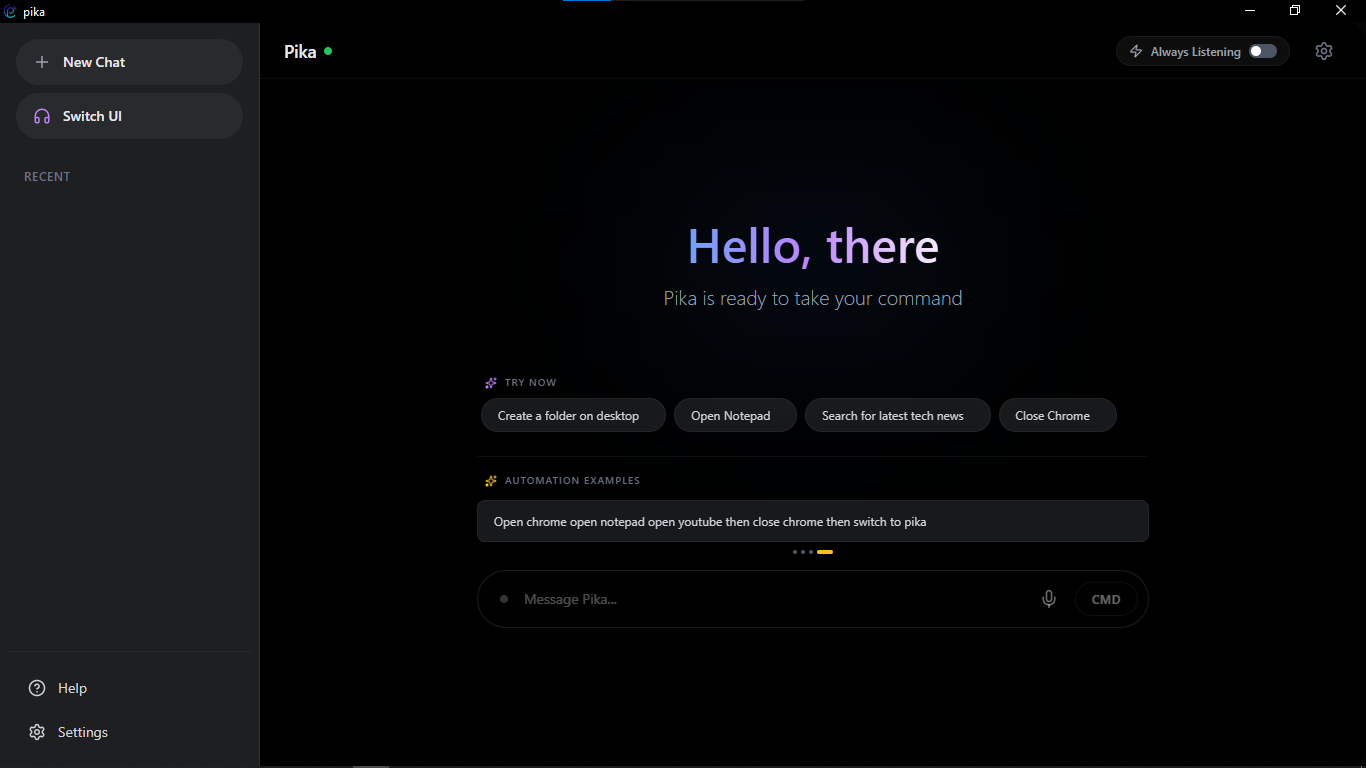
Pika AI Interface – Free desktop assistant with smart voice control and automation
Pika AI stands out as the best AI application for those seeking a genuine Iron Man Jarvis download experience. This free desktop virtual assistant offers comprehensive AI desktop control with voice activation, making it the closest thing to having your own J.A.R.V.I.S.
⚡ Key Features
- ➤ Wake word detection Just say "Hey, Pika"
- ➤ Upgrade Pika's feature like Tony his one to improve
- ➤ Custom automation workflows & multi-app launch modes
- ➤ App, Web, URL & browser control
- ➤ Email & messaging control via voice
- ➤ Full CMD / PowerShell execution
- ➤ Advanced OS-level control (files, settings, processes)
- ➤ Google Calendar reminder & event integration
- ➤ Secure OAuth2 authentication
- ➤ Futuristic cyber-style UI with animated feedback
2. Claude Code – An AI Assistant for Programmers
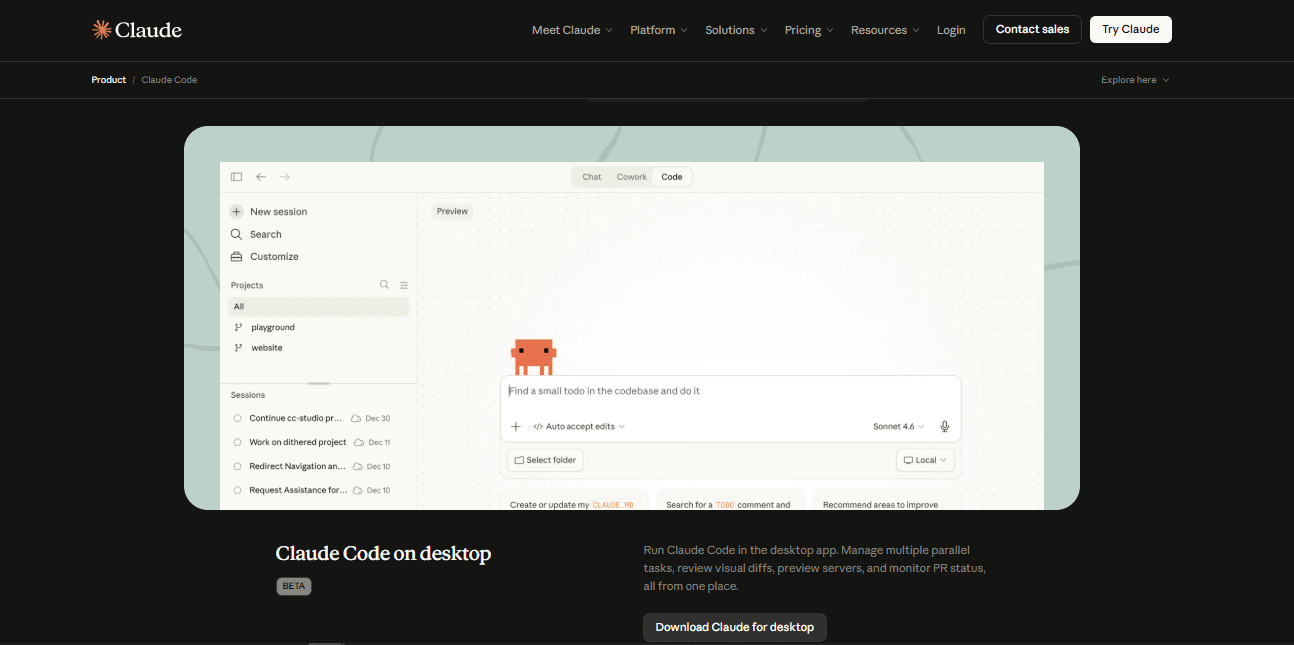
A helpful coding companion shows up in tools like Claude Code, built by Anthropic. Not quite magic - just smart software that navigates piles of code fast. Think of it understanding files deeply, reaching into systems straight from command lines. Tasks happen quietly once asked, without fuss or extra steps.
Floating through tasks the way J.A.R.V.I.S. does in stories, Claude Code follows everyday speech to guide coding work. Instead of rigid commands, it catches what builders mean, handling big software jobs without getting tangled. While one lives in movies, the other fits inside real workflows - both shape chaos into order.
A single dev tackles a huge app full of countless files. Rather than click through folder after folder, typing might get them there faster.
Right off, Claude Code checks every part of your project without delay. From there, it pinpoints the files that matter most. How the login system functions? Explained clearly. Spotting weak spots comes next - ideas pop up to make things better. Writing fresh pieces of code? That happens too. When something breaks, guidance shows where to look. Mistakes get untangled with step by step hints.
What stands out is how it blends digging into code with pulling fresh web insights. When someone questions a tool upgrade or a bug, answers come shaped by live docs and real-world coding habits. Fresh details meet hands-on checks without delay.
A bit like having a thinking partner who just gets it, Claude Code picks up on what you need without extra explanation. Instead of waiting around, it dives into research while keeping track of the big picture. With each step, it builds solutions quietly but fully formed. Tasks that once took turns now unfold smoothly in one go.
Even if it won’t power a sci-fi armor the way Iron Man does on screen, something like Claude Code hints at how these digital helpers are quietly growing sharper in everyday tasks. Instead of flashy movie magic, they’re learning to keep up with complex work behind the scenes.
Best for: Programmers and software developers
Price: Free & Paid plans available
Cortana – Microsoft’s AI Assistant
Cortana is Microsoft’s is a great choice on your Windows PC. It’s not flashy, but it’s dependable for everyday stuff. Want a reminder? Need to check the weather or manage your calendar without lifting a finger? Just ask Cortana from your Windows 10 or 11 taskbar. No downloads, no setup headaches.
Microsoft stopped rolling out big updates, but Cortana still handles the basics well. You can talk to it like you would a person—set meetings, search the web, manage Outlook, Teams, or your To-Do list. If you want something simple and already part of Windows, Cortana is a solid, no-nonsense choice. It won’t thrill you like Alexa or Google Assistant, but it doesn’t let you down.
Best for: Windows users who want built-in AI help
Price: Free (included with Windows)
⚠ Note: Microsoft has officially discontinued Cortana as a standalone consumer voice assistant. Although it is no longer actively developed for personal use, it played an important role in the evolution of voice-controlled digital assistants and influenced many modern AI-powered productivity and automation tools.
Google Assistant
Looking for a speedy, smart assistant that just fits into your routine? Google Assistant has your back. You can send texts, set reminders, open apps, control your smart home—just by talking.
Here’s the real magic: it’s plugged straight into your Google world. It remembers your searches, your habits, and your location. The more you use it, the smarter it gets.
On a PC or laptop, you’ll need a third-party app (unless you’re on a Chromebook), but everything syncs—your phone, smart speakers, computer—all in step.
If you’re living inside Google’s universe, this is the assistant that actually keeps pace.
Download Google Assistant Desktop Client (Unofficial)Best for: People who live in the Google ecosystem
Price: Free
Mycroft AI – Open-Source Real Life Jarvis
Love to tinker? Serious about privacy? Mycroft AI is made for you. It’s open-source, so you can tweak it any way you like, and it all runs locally. Honestly, it’s about as close as you’ll get to building your own real-life Jarvis.
Best for: Developers and privacy buffs
Price: Free (open source)
Microsoft Copilot – Your AI Desktop Buddy
Copilot is a game changer. Powered by GPT-4 and built right into Windows and Microsoft 365, it lets you automate tasks, draft docs, crunch numbers, and streamline your workflow—all with zero sweat.
It taps into your emails, calendar, chats, and files—securely, of course. Need a quick email summary? Drafting a report? Building a PowerPoint? Copilot handles it. You can talk or type, and it works everywhere: Word, Excel, PowerPoint, Outlook, Teams. Suddenly, your everyday apps feel a whole lot smarter.
Some features are free in Windows and Edge, but if you want the full experience—advanced AI and serious automation—you’ll need a Microsoft 365 subscription. It’s perfect for pros or teams who want to get more done.
Best for: Professionals and teams looking to boost productivity
Price: Part of Microsoft 365 subscription
Official link: Copilot
Braina AI
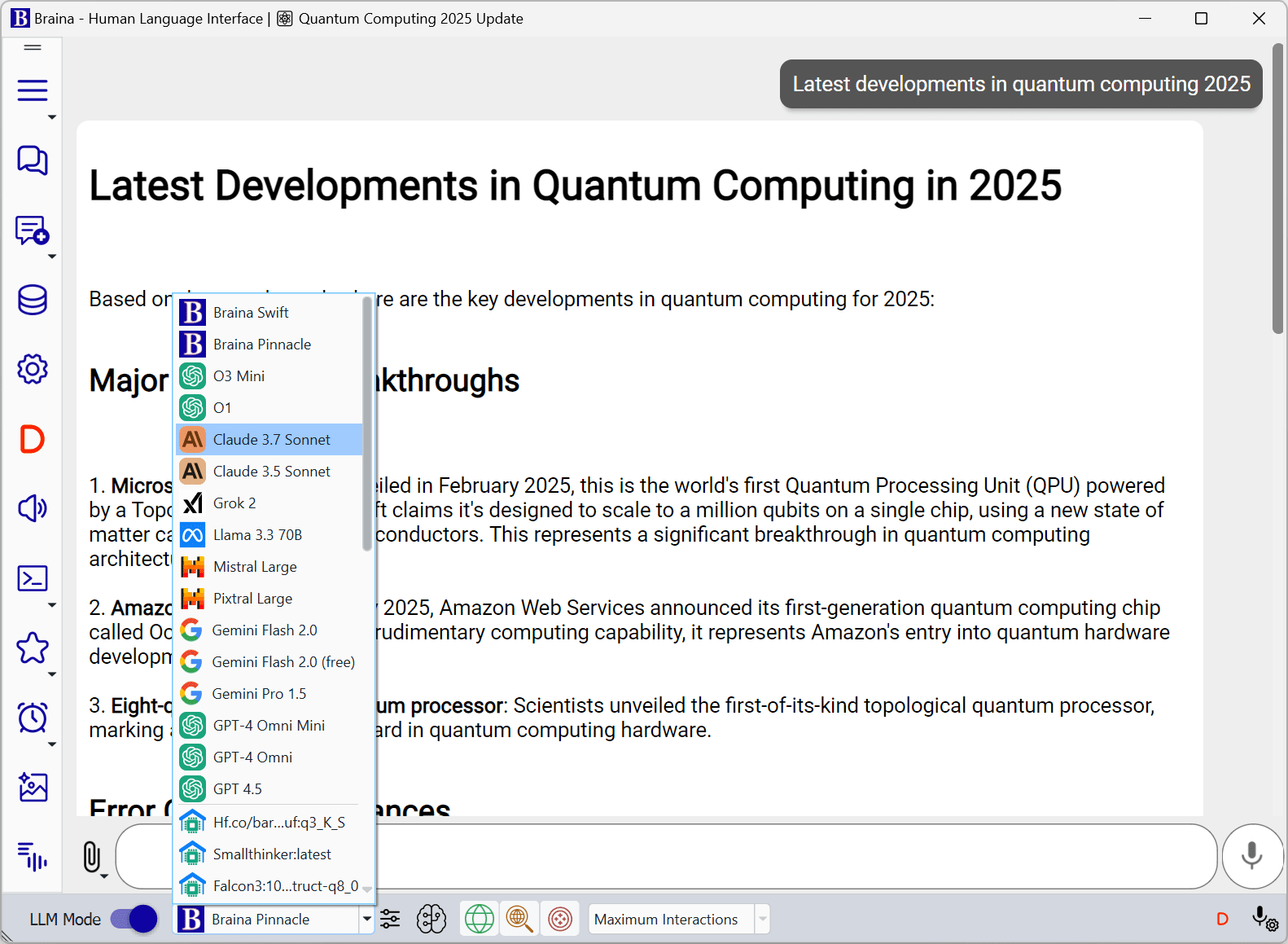
Braina AI is basically a mini-pc automator for Windows. It handles advanced voice commands, lets you dictate text, and automates daily tasks. If you want to run your PC without touching the keyboard, Braina makes it a breeze.
Visit Braina AI WebsiteJarvis type AI Comparison Chart
| AI Assistant | Best For | Voice Control | Automation | Price |
|---|---|---|---|---|
| Pika Voice Assistant | General PC users wanting full Jarvis-like experience | ✅ Wake word & commands | ✅ Multi-app workflows, OS control | Free |
| Claude Code | Programmers & developers | ✅ Understands natural language | ✅ Automates code tasks | Free & Paid plans |
| Cortana | Windows users | ✅ Basic commands | ⚠ Limited after discontinuation | Free (Windows) |
| Google Assistant | Google ecosystem users | ✅ Text, voice, smart home | ✅ Reminders, app control | Free |
| Mycroft AI | Privacy-focused & tinkering users | ✅ Voice commands | ✅ Custom workflows | Free (Open Source) |
| Microsoft Copilot | Professionals & teams | ✅ Voice & text commands | ✅ Office 365 automation | Microsoft 365 subscription |
| Braina AI | Windows users wanting PC automation | ✅ Multiple languages | ✅ Text dictation, task automation | Free & Paid |
It speaks multiple languages, answers naturally, and just gets things done—no fuss, no drama.
Want to Make One Like This for Yourself?
Ever thought, “Could I have my own AI assistant like this?” The answer is yes—and you don’t even need to write a single line of code.
Check out our guide: How to make Jarvis , and you’ll learn how to:
- Make a personal voice-controlled assistant for your PC
- Automate tasks, reminders, and app workflows
- Customize it to fit your own style and needs
Imagine having your very own AI companion—just like the assistants we’ve explored here—built by you, for you.